
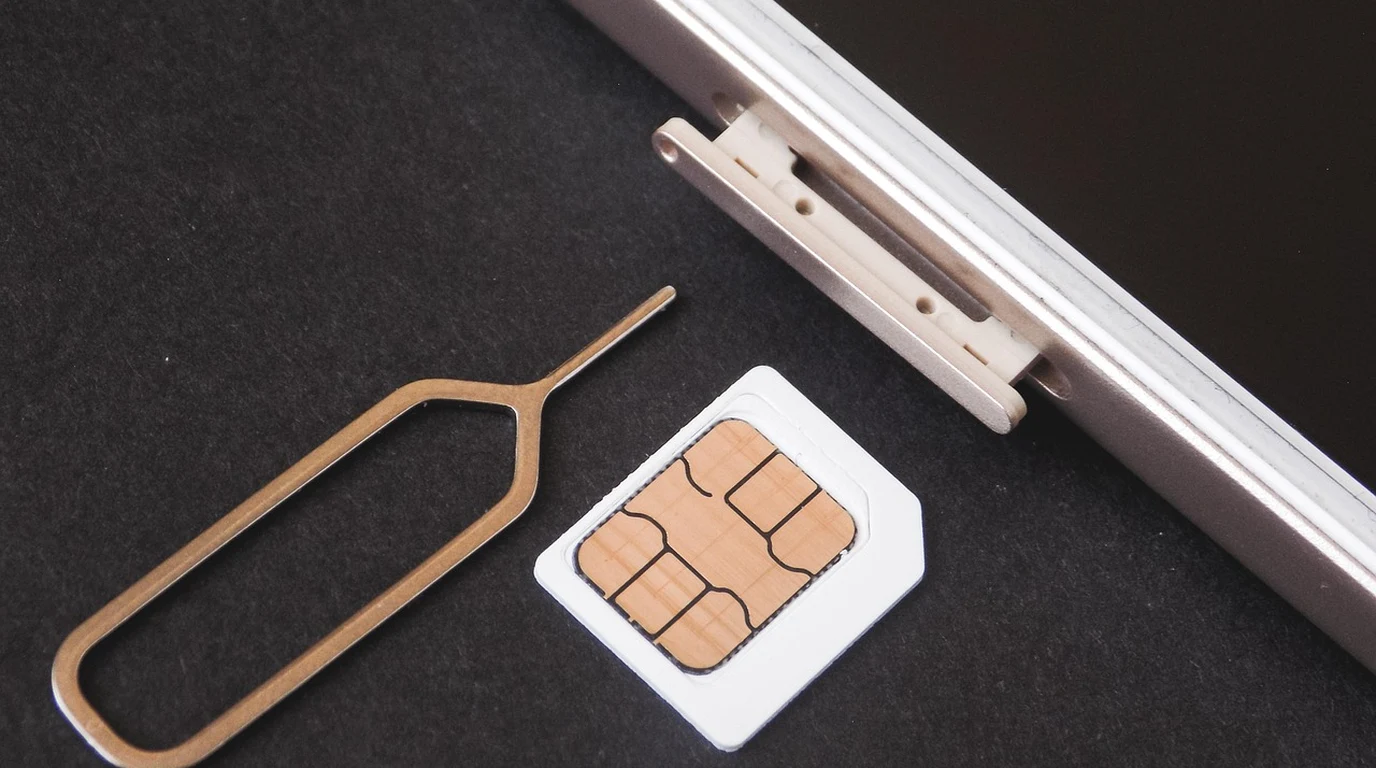
You’ve likely felt that specific surge of irritation when you realize you don’t actually own the $1,200 glass-and-metal slab in your pocket. You paid for it—perhaps through a two-year “subsidy” or an outright purchase—yet the moment you try to swap in a local SIM card while landing in London or Tokyo, your phone treats you like a digital trespasser. For years, Canadian carriers treated device locking as a proprietary moat, charging you $50 for the “privilege” of using your own hardware elsewhere. It felt like a ransom, and frankly, it was.
But here’s the reality: the landscape shifted fundamentally on December 1, 2017. If you are still paying roaming fees because you think your phone is “stuck” with Rogers, Bell, or Telus, you are leaving hundreds of dollars on the table every year. The law is now entirely on your side, but carriers aren’t exactly spending their marketing budgets to remind you of your rights. They rely on “friction”—the subtle art of making a simple process feel just difficult enough that you give up and pay for a $16-a-day roaming pass instead.
Direct Practical Verdict:
Under the CRTC Wireless Code, all mobile devices sold in Canada after December 1, 2017, must be unlocked. For older devices, carriers are legally required to unlock them immediately upon request, free of charge. No “administrative fees” or account balance requirements are permitted; if they refuse, they are in direct violation of federal regulations.
Why do Canadian carriers still try to make unlocking difficult?
If the law is so clear, why do I still hear from consumers who were told their “legacy device” can’t be unlocked, or that they need to pay off their device balance first? It comes down to the “Roaming Trap.” Canadian carriers have some of the highest Average Revenue Per User (ARPU) in the world. A significant chunk of that comes from “Roam Like Home” style packages. When you pay $12 to $16 per day to use your Canadian data bucket abroad, you are paying a markup that would make a luxury hotel’s minibar look like a bargain. By keeping you under the impression that your phone is locked, carriers ensure you don’t buy a $15 local eSIM that provides 20GB of data for a month. The “friction” you encounter at the customer service level is often a mix of outdated training and subtle retention tactics. A representative might tell you that because you have an outstanding balance, the “system won’t allow” an unlock. This is a lie. The CRTC Wireless Code does not stipulate that an account must be in good standing for a device to be unlocked. The device lock is a technical restriction on the hardware, and the law mandates its removal regardless of your financial relationship with the provider.What does the CRTC Wireless Code actually say about my rights?
The Wireless Code is your shield. Specifically, Section G, “Contractual matters,” was updated to be unambiguous. It states that any device provided by a service provider to a customer must be provided unlocked. Furthermore, if a device is already locked to a carrier’s network, that carrier must unlock the device, or provide the means to unlock it, at no charge. This applies to everyone: current customers, former customers, and even people who bought a used phone off a marketplace and have no relationship with the original carrier. If the phone was originally sold by Bell, Bell is responsible for unlocking it for free. They cannot demand you open an account with them just to facilitate the unlock.| Feature / Regulation | Canada (CRTC) | United States (FCC) | United Kingdom (Ofcom) |
|---|---|---|---|
| Unlocking Fee | $0 (Mandatory) | Varies (Often $0) | $0 (Mandatory) |
| Waiting Period | None (Immediate) | 60 days (typically) | None (Immediate) |
| Account Standing | Irrelevant to unlock | Must be “in good standing” | Irrelevant to unlock |
| Point of Sale | Must be sold unlocked | Can be sold locked | Must be sold unlocked |
How do I find my IMEI and why is it the “Golden Key”?
To unlock your phone, the carrier needs one specific piece of information: your IMEI (International Mobile Equipment Identity). Think of this as your phone’s fingerprint. It is a 15-digit code that is unique to your specific device. You do not need to dig through your settings or find the original box. Every phone, regardless of the manufacturer, has a universal “shortcode” to display this number. Open your phone’s dialer and type: `*#06#`. The IMEI will pop up on your screen immediately. Write this down or take a screenshot. If you have a dual-SIM phone (like most modern iPhones or Samsung Galaxies), you might see two IMEIs. Usually, the first one (IMEI 1) is the primary one used for the network unlock request. With this number in hand, you are no longer a “customer asking for a favor.” You are a consumer demanding a regulatory right. When you call the carrier, you aren’t asking if they can unlock it; you are providing the IMEI and asking for the Network Unlock Code (NUC) or for the unlock to be pushed to the manufacturer’s activation servers.Is my phone already unlocked? How to check without calling anyone.
Before you spend 20 minutes on hold with a carrier, check if the work is already done. Most phones sold in Canada after late 2017 are unlocked by default. For iPhone users: Go to `Settings > General > About`. Scroll down to “Carrier Lock.” If it says “No SIM restrictions,” you are good to go. If it says “SIM locked,” you need to contact the carrier. For Android users: Android is a bit more fragmented. The easiest way is to borrow a SIM card from a friend who is on a different network. If you are on Rogers, pop in a Telus SIM. If the phone asks for a “SIM Network Unlock PIN,” it’s locked. If it catches a signal and shows the new carrier’s name, it’s unlocked.The Actionable Playbook: How to unlock your phone today
If you’ve confirmed your phone is locked, follow this exact sequence to get it resolved by 4:00 PM today. 1. Gather Your Data: Get your IMEI by dialing `*#06#`. Also, identify which carrier the phone was originally purchased from. If you bought it used and aren’t sure, you can use an online “IMEI Checker” (though be wary of paid sites; most basic info is free). 2. Contact the Original Carrier: You can usually do this via their web chat or by calling their support line. If you are not a current customer, do not let the automated system loop you. Keep pressing “0” or say “Technical Support” to get a human. 3. State the Mandate: Use this phrasing: *”I am requesting a free network unlock for a device under the CRTC Wireless Code. Here is my IMEI.”* 4. The Technical Execution: * For Android: They will give you an 8 to 16-digit code. Insert a non-carrier SIM card, and when prompted, enter that code. Your phone is now permanently unlocked. * For iPhone: There is no code. The carrier sends a request to Apple’s servers. They will tell you it’s done. You then need to either insert a new SIM card or, in some cases, back up and restore the phone via iTunes/Finder to trigger the new activation policy. 5. Verify: Once the process is complete, check the “Carrier Lock” status in your settings again.What to do if the carrier refuses or claims it’s “impossible”
Occasionally, you will hit a wall. A representative might claim that because the phone is a 2015 model, the “unlocking tool” no longer exists. Or they might say they can’t find the IMEI in their database. This is often a result of the phone being originally sold by a subsidiary (like Fido) but you are calling the parent (Rogers). The Escalation Script: If they push back, use this: *”I understand you’re having trouble finding the code, but under the CRTC Wireless Code, the carrier of origin is legally required to provide an unlock for free. If we cannot resolve this now, I would like to speak with a supervisor and I will be opening a dispute with the CCTS (Commission for Complaints for Telecom-Television Services).”* The mention of the CCTS is the “nuclear option.” Carriers are charged a fee for every complaint the CCTS has to investigate. Usually, the moment you mention filing a formal complaint, the representative finds a way to “manually override” the system.The Financial Payoff: Why this matters for your next trip
The real reason we do this isn’t just for the principle of ownership—it’s for the massive savings. Let’s look at the math for a 10-day trip to Europe. * Option A (Locked): Using your Canadian carrier’s roaming plan at $16/day. Total cost: $160 + tax. * Option B (Unlocked): Downloading an eSIM app like Airalo or buying a local SIM at the airport. Total cost for 10GB of data: ~$15 to $25. By spending 15 minutes unlocking your phone today, you are effectively “earning” $140 for your next vacation. That is the power of knowing the law.Frequently Asked Questions
Can a carrier charge me if I’m not their customer anymore? No. The CRTC rule applies to the device, not the person. If the device was originally sold by that carrier, they must unlock it for free, regardless of whether you have an active account with them. Does unlocking my phone void the warranty? Absolutely not. A network unlock is an official carrier-sanctioned process. It is not “jailbreaking” or “rooting” the phone. It simply removes a software flag that restricts which SIM cards the modem will accept. What if I bought my phone from a third party like Amazon or Best Buy? If you bought the phone “unlocked” or “contract-free” from a retailer, it should already be unlocked. If it’s not, the carrier whose SIM card you first put into the phone is usually the one that “locked” it to their network (a common practice with older iPhones). Contact that carrier.
Mobile Device Unlocking & International Roaming Rights
Cancellation freedom pairs with federal rules mandating unlocked mobile devices across all carriers. For zero-fee unlocking mandates, review our guide on Canada Telecom Contract Cancellation: 30-Day Notice.